
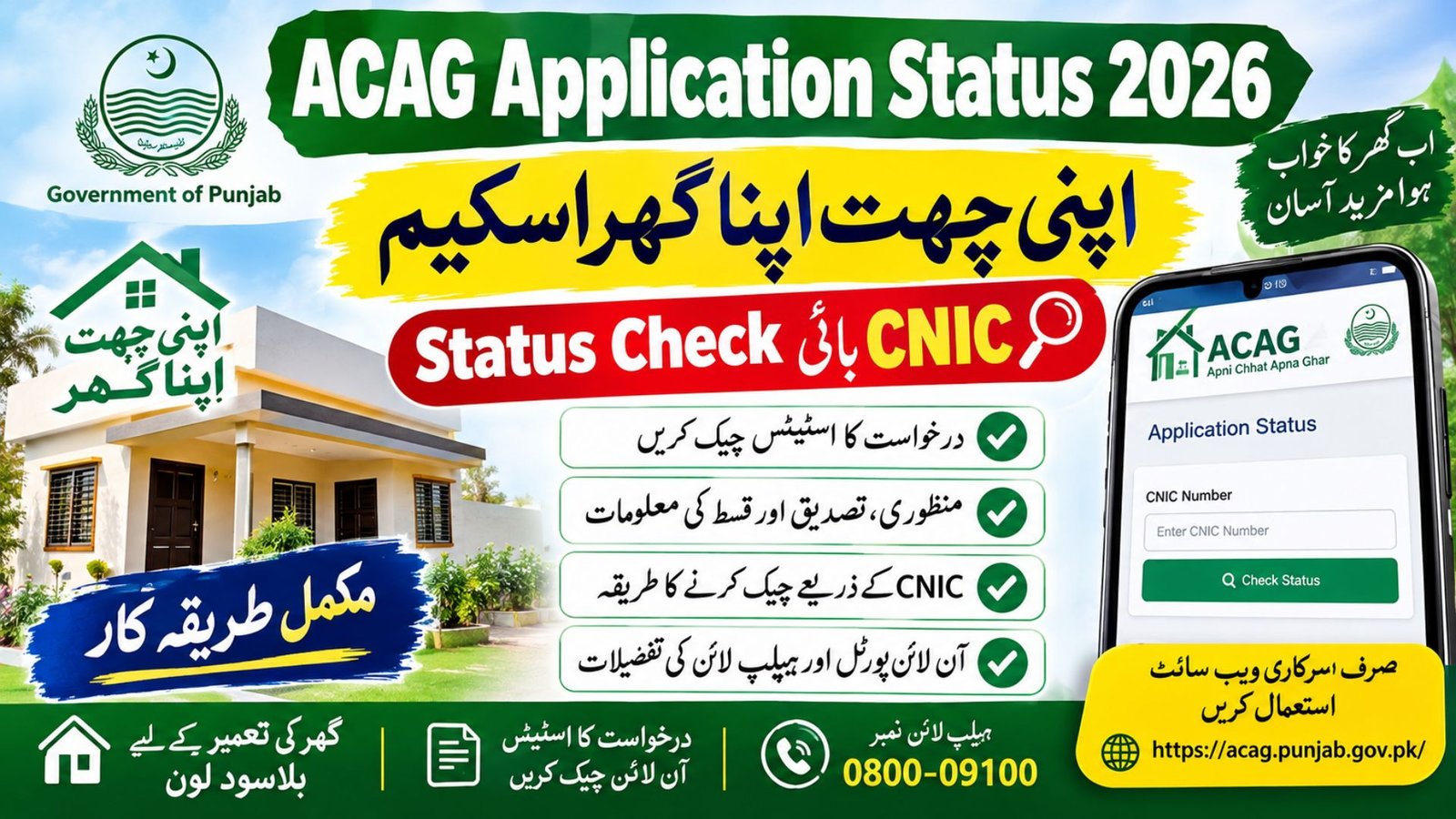
ACAG Application Status 2026 – Check Apni Chhat Apna Ghar Status by CNIC
ACAG Application Status 2026
Checking your ACAG application status 2026 is an important step if you have applied for the Apni Chhat Apna Ghar scheme in Punjab and want to know whether your application is under verification, approved or awaiting further processing. The Punjab government introduced this housing programme to help eligible low-income families build homes on land they already own through an interest-free housing loan.
Applicants can visit the official ACAG portal to access the available application services and check their records. The application-status page includes fields such as Application ID, applicant name, CNIC, application status and selected microfinance institution (MFI), where applicable. However, the information displayed may depend on the applicant’s record and the portal’s current functionality.
This guide explains how to check Apni Chhat Apna Ghar application status, sign in to the ACAG portal, understand common verification problems, check loan approval and installment updates, and contact the relevant department for assistance. It also explains the original eligibility rules and the difference between earlier programme figures and developments reported in 2026.
More Read: Nigehban Ramzan Package 2027
ACAG Application Status 2026: Quick Information
| Details | Information |
|---|---|
| Programme name | Apni Chhat Apna Ghar |
| Common abbreviation | ACAG |
| Province | Punjab, Pakistan |
| Responsible department | Housing, Urban Development and Public Health Engineering Department |
| Executing agency | Punjab Housing and Town Planning Agency (PHATA) |
| Official website | https://acag.punjab.gov.pk/ |
| Application status page | https://acag.punjab.gov.pk/Layouts/ApplicantStatus |
| Published helpline | 0800-09100 |
| Main purpose | Interest-free housing loans for eligible applicants |
| Original programme target | 100,000 affordable houses or apartments |
| Urban land condition | Up to 5 marla under the published eligibility criteria |
| Rural land condition | Up to 10 marla under the published eligibility criteria |
| Published PMT requirement | 60 or less under the original published criteria |
| Application process | Follow the current instructions on the official portal |
Important: The original target of 100,000 houses is a programme target, not the number of applications approved or loans disbursed. Applicants should confirm any revised requirements through the official website.
What Is the Apni Chhat Apna Ghar Scheme?
The Apni Chhat Apna Ghar scheme is a Punjab government housing initiative designed to help eligible families construct their own homes. Under the original programme framework, eligible applicants who own qualifying residential land can apply for an interest-free housing loan, subject to the applicable conditions.
The original programme included a target of 100,000 affordable houses or apartments over four and a half years through three implementation models. The Punjab Housing and Town Planning Agency (PHATA) is the executing agency, while the Housing, Urban Development and Public Health Engineering Department oversees the programme.
People search for this initiative using several variations, including ACAG, Apni Chhat Apna Ghar, Apna Ghar Apni Chhat and Apna Ghar Apni Chhat status check. These terms generally refer to the same original housing programme, but applicants should make sure they use the official government portal.
The main purpose of the scheme is to help eligible landowners construct a home rather than provide unrestricted cash assistance to every applicant.
More Read: BISP 8171 October Payment 2026
How to Check ACAG Application Status Online in 2026
Applicants can begin with the official ACAG website and follow the available login and application-status instructions. Keep your registration information ready before starting because the portal may require account credentials to access your record.
Step 1: Visit the Official ACAG Portal
Open the official website at https://acag.punjab.gov.pk/ using a browser on your mobile phone or computer. Check the website address carefully before entering your personal information.
Step 2: Open the ACAG Login Page
Select the login option on the official website. Enter the credentials associated with your original registration, following the instructions displayed on the portal.
Step 3: Enter Your Registered Information
Provide the CNIC and password or other information requested by the official login page. Complete any CAPTCHA or additional verification step if it appears.
Step 4: Open the Application Status Section
After signing in, look for the application-status option. The official ACAG application-status page identifies fields for the Application ID, applicant name, CNIC, application status and selected MFI.
Step 5: Review Your Application Record
Check the displayed information carefully. If the portal shows a status that you do not understand, note the exact wording and contact official support rather than assuming your application has been rejected.
Official status page: https://acag.punjab.gov.pk/Layouts/ApplicantStatus
The status page may not provide a complete public search facility for every applicant. If you cannot access your record directly, return to the official homepage and follow the current login instructions.
Apni Chhat Apna Ghar Status Check by CNIC
Many applicants search for ACAG status check by CNIC, Apni Chhat Apna Ghar check by CNIC and Apni Chhat Apna Ghar CNIC status because they want to know whether their application has progressed.
Your CNIC is an important identity detail, but entering the number alone does not necessarily provide access to your complete application record. The official portal may require login credentials or registration information associated with your application.
To check your Apni Chhat Apna Ghar application status by CNIC:
- Visit the official ACAG portal.
- Sign in using your registered account details.
- Open the application-status section.
- Review your application record and any verification information displayed.
- Keep your Application ID for future communication with the department.
If you have forgotten your login details, use the recovery options available on the official website. Do not share your CNIC, password or OTP with strangers who promise instant approval.
ACAG Online Application and Application Tracking
The ACAG online application system allows eligible citizens to submit their details through the official portal when registration is available. After submitting an application, applicants should preserve their registration information and any reference number provided by the system.
The ACAG application tracking process is intended to help applicants follow their existing applications. If you have already applied, check your existing account and Application ID before attempting another registration.
An application ID can help the support team locate your record more efficiently. Keep it in a safe place along with your registration confirmation and any messages received from the programme.
If the portal displays a separate tracking ID or reference number, use the exact identifier shown in your account. Do not assume that every applicant receives a different type of tracking number unless the official system confirms it.
What If You Cannot Find Your ACAG Application ID?
If your ACAG application ID is missing, first check your original confirmation message, email or saved application information. Then sign in to your registered account and see whether the reference is available on your dashboard.
If you still cannot find it, contact the official ACAG helpline at 0800-09100. Provide identification details only through the authorised support process.
ACAG Application Status Meanings Explained
Applicants often become confused when the status displayed on their dashboard does not explain what happens next. The exact wording used by the official portal should always take priority over general explanations.
The following table explains common application terms in simple language. These are general interpretations and should not be treated as confirmation that every label is currently used by the ACAG system.
| Status or message | General meaning | What you should do |
|---|---|---|
| Submitted | Your application has been received by the system | Keep your application reference and monitor updates |
| Pending | A processing step or decision is outstanding | Check for instructions or missing information |
| Under verification | Your information is being checked | Follow official instructions and provide documents if requested |
| Document verification | Submitted records are being reviewed | Ensure your documents are accurate and readable |
| Approved | The application has received the approval indicated by the portal | Confirm any remaining loan or disbursement requirements |
| Rejected or not eligible | The application has not qualified at the recorded stage | Ask for the reason and any available review process |
| Selected MFI | A microfinance institution has been identified for the case | Follow the authorised institution’s instructions |
| No Data Found | The system has not returned a matching record | Recheck your details and contact support if necessary |
An application marked as submitted should not automatically be treated as approved. Similarly, an application under verification does not mean that it has been rejected. Final eligibility, approval and loan release depend on the relevant checks and official decision.
ACAG Pending Application: Why Is My Status Not Updating?
An ACAG pending application can remain unchanged while the relevant department reviews records or completes administrative checks. A delay on the dashboard does not, by itself, prove that the applicant has lost eligibility.
Possible reasons for a delayed update include incomplete information, a mismatch between submitted details and official records, pending document checks or an outstanding decision from the relevant authority.
If your ACAG application status is not updating, take the following steps:
- Sign in to your original account and review the latest information.
- Check whether the portal requests additional documents or corrections.
- Confirm that your CNIC and other submitted information are accurate.
- Save a screenshot or note of the displayed status.
- Contact the official helpline if the status remains unclear.
Avoid submitting repeated applications simply because the dashboard has not changed. Duplicate records may make it harder to establish which application should be reviewed.
ACAG Application Record Not Found: What Does It Mean?
The message “No Data Found against this CNIC” can be worrying, particularly when you have already submitted an application. However, the message alone does not establish that your application has been rejected.
First, check whether you are using the same CNIC and account information that you provided during registration. Review the numerical details carefully and confirm that you are using the correct ACAG website rather than an unrelated scheme portal.
If the record still does not appear, contact the official support team and explain that your application cannot be located. Keep your Application ID, if available, and the approximate registration date ready for reference.
Do not pay an unofficial agent to recover your application or disclose your password or OTP to someone claiming to have special access to the system.
ACAG Login Problem, Password Reset and OTP Verification
A login problem can prevent applicants from viewing their application status even when an application has already been submitted. The correct solution depends on the message displayed on the official website.
ACAG Forgot Password and Password Reset
If you have forgotten your ACAG password, look for a password-recovery option on the official login page. Follow the instructions provided by the system and use the registered contact details associated with your account.
If the recovery option is unavailable or does not work, contact the official helpline rather than creating multiple accounts without guidance.
ACAG OTP Verification
An OTP is a one-time verification code used to confirm access or identity in systems that require it. If the ACAG portal requests an OTP, follow the instructions displayed on the official page and use only the authorised verification method.
Never give an OTP to a caller or message sender who promises to approve your loan. Enter the code only into the official service that requested it.
Other ACAG Login Problems
If the page does not load correctly, check your internet connection, refresh the website or try a different browser. If an error message appears, save its exact wording before contacting support.
Repeated login attempts may not solve an account or record issue. Official support is the safer option when the problem continues.
ACAG Document Verification and Application Rejection Reasons
Document verification helps the programme assess whether an application meets the applicable requirements. Depending on the case, the department may need to verify identity, family information, land ownership or other details required under the programme rules.
Potential issues include incorrect CNIC information, conflicting land records, incomplete forms, failure to meet published eligibility criteria or a record that cannot be matched during verification. These are possible reasons for a problem, not a confirmed explanation for any individual applicant’s result.
If your ACAG application status shows rejected or not eligible, read any reason provided by the portal. If no reason is displayed, contact the relevant department and ask whether further clarification, correction or review is available.
Do not assume that correcting one field will automatically change a rejected application to approved. The department must determine whether the application meets the applicable rules.
ACAG Eligibility Criteria 2026: Who Can Qualify?
The Punjab government’s published programme page provides the original eligibility framework for Apni Chhat Apna Ghar. Applicants should check the live portal for subsequent amendments before relying on older information.
According to the published criteria, applicants generally need to meet the following conditions:
- The applicant should be the head of the nuclear family according to NADRA records.
- The applicant should be a permanent resident of Punjab, as established by the CNIC.
- The applicant should be the sole owner and possessor of land measuring up to five marla in an urban area or up to ten marla in a rural area, where the proposed house will be constructed.
- The applicant should not have a disqualifying criminal record under the published conditions.
- The applicant should not be a loan defaulter of a financial institution or bank.
- The applicant should be registered in the National Socio-Economic Registry (NSER), with a household PMT score of 60 or less under the published criteria.
Meeting these conditions does not automatically guarantee approval. The relevant authorities must review the application and determine eligibility under the rules in force.
ACAG PMT Score and PSER Registration
The PMT score is a measure used in social protection programmes to assess household circumstances. The original ACAG programme page specifies an NSER household PMT score of 60 or less.
Applicants should not assume that PSER registration and NSER registration are interchangeable in every programme. If you have completed a Punjab Socio-Economic Registry (PSER) survey, check the current ACAG instructions to confirm whether additional registration or verification is required.
ACAG Loan Status, Loan Approval and Selected MFI
Checking the ACAG loan status is different from checking whether an application was received. A submitted application may still require eligibility checks, verification or further processing before the loan can be released.
The official status page includes a field for the selected MFI. This refers to the microfinance institution associated with the applicant’s case, where the system has recorded one.
If your dashboard displays a selected institution, follow the official instructions provided for your case. Do not assume that the institution’s name alone confirms that the loan has been approved or paid.
ACAG Loan Approval Status
If the portal shows an approval decision, review any conditions or next steps listed with it. Ask the department or authorised institution whether further documentation, verification or a formal agreement is required.
Application approval, loan sanction and actual transfer of loan funds may represent different stages. Always confirm which stage applies to your record.
ACAG Loan Release Status
Applicants waiting for a loan release should check their account and official communications for updates. If the application is approved but funds have not been received, contact the relevant institution or programme support team and ask whether any outstanding requirement remains.
Do not rely on an unofficial website’s estimated release date as confirmation of when your loan will be transferred.
ACAG Loan Installment and Second Installment
The original programme has used staged loan disbursement, with subsequent payments linked to the applicable construction and verification process. A Punjab government update published on April 14, 2025, reported that the second installment had been granted to more than 12,000 families at that time.
That figure is a historical programme update, not a count of second installments issued in October 2026. Your own ACAG second installment depends on the applicable loan terms, construction progress and verification requirements.
Applicants should confirm their installment schedule, payment conditions and outstanding requirements with authorised programme representatives rather than assuming that every case follows the same timeline.
Apni Chhat, Mehfooz Chhat: Important Update for 2026
In July 2026, Dawn reported the launch of the separate Apni Chhat, Mehfooz Chhat initiative in Punjab. The reported plan included interest-free loans of Rs500,000 for roof strengthening and up to Rs1 million for constructing additional rooms or another storey, subject to the programme’s applicable terms.
This initiative should not be confused with the original Apni Chhat Apna Ghar construction-loan programme. Although both relate to housing and use the ACAG portal, their purposes and loan categories differ.
If you are applying for assistance to strengthen an existing roof rather than construct a home on your plot, confirm the correct programme and current application instructions before proceeding.
What Has Changed Since 2024 and 2025?
The original ACAG scheme was launched in 2024. At that time, the Punjab government described a programme involving interest-free loans of up to Rs1.5 million for eligible landowners, with repayment under the original published terms.
In April 2025, the Punjab government’s programme update reported that more than 25,500 families had received loans worth over Rs27 billion and that more than 12,000 families had received a second installment. These figures reflect the position reported at that time.
By July 2026, Dawn reported that 173,158 interest-free loans worth Rs224.457 billion had been disbursed under Apni Chhat Apna Ghar. The same report covered the separate Apni Chhat, Mehfooz Chhat initiative.
| Programme detail | Earlier published information | Reported update |
|---|---|---|
| Original scheme launch | August 2024 | Programme continued beyond its launch year |
| Original programme target | 100,000 houses or apartments | Target should not be confused with actual disbursements |
| Loan framework | Up to Rs1.5 million under the original published terms | Confirm current terms with the official portal |
| April 2025 programme update | Over 25,500 families received loans worth more than Rs27 billion | Historical figure from the Punjab government’s report |
| July 2026 disbursement figure | Not the same as the 2025 snapshot | 173,158 loans worth Rs224.457 billion, as reported by Dawn |
| Newer housing-related initiative | Original home-construction programme | Apni Chhat, Mehfooz Chhat launched in July 2026 for roof safety and additional construction |
These figures come from different reporting dates and should not be added together. The 2025 figures are historical, while the July 2026 report provides a later programme-wide snapshot.
What About ACAG in 2027?
Applicants looking for ACAG application status 2027 should continue to use the official programme website and check announcements published by the Punjab government. Future application windows, revised loan amounts, new eligibility rules and payment schedules should not be treated as confirmed until the government announces them.
The safest approach is to check your existing application record rather than assume that a new year automatically requires a fresh application.
ACAG Helpline Number and Official Contact Details
If you cannot access your application, find your tracking ID or understand a verification result, contact the official programme support team.
| Contact detail | Information |
|---|---|
| Programme | Apni Chhat Apna Ghar |
| Official portal | https://acag.punjab.gov.pk/ |
| Application status page | https://acag.punjab.gov.pk/Layouts/ApplicantStatus |
| Published helpline | 0800-09100 |
| Responsible agency | Punjab Housing and Town Planning Agency (PHATA) |
The Punjab government’s helplines page also lists 0800-09100 and 1317 for the Citizen Facilitation Center covering Apni Chhat Apna Ghar and related services. Confirm which number is appropriate for your particular query before calling.
When contacting support, explain whether your problem concerns login access, a missing application record, document verification, loan approval or an installment. Keeping your application ID available can help the support team understand your query.
Frequently Asked Questions (FAQs)
1. How do I check ACAG application status online in 2026?
Visit the official ACAG portal, sign in using your registered details and open the application-status section. You can also start from https://acag.punjab.gov.pk/Layouts/ApplicantStatus.
2. How can I check Apni Chhat Apna Ghar status by CNIC?
Use the CNIC and account information associated with your original application. Follow the current portal instructions because a public CNIC-only lookup may not provide access to every applicant’s record.
3. What is the official ACAG application status checker?
The official application-status facility is available through the Punjab government programme website. Use the .gov.pk domain and avoid entering personal information on unrelated websites.
4. What should I do if my ACAG application is pending verification?
Check whether the portal requests documents or additional information. If no instructions appear and the status remains unchanged, contact the official helpline at 0800-09100.
5. Why does ACAG show “No Data Found against this CNIC”?
The system may be unable to match the information you entered with an accessible record. Recheck your details and contact official support if the application still cannot be found.
6. How can I recover my ACAG password?
Open the official login page and follow any available password-recovery instructions. If recovery fails, ask the official support team for guidance.
7. Does an approved ACAG application mean the loan has been released?
Not necessarily. Approval and loan disbursement can be separate stages, so check the specific status displayed on your account and follow any instructions from the authorised institution.
8. How can I check my ACAG second installment?
Review your application and loan information, then contact the authorised institution or programme support team to confirm the construction-verification requirements and current installment stage.
9. What is the ACAG helpline number?
The published programme helpline is 0800-09100. You can also check the Punjab government’s official helplines page for the latest contact information.
10. Is ACAG the same as Apni Chhat, Mehfooz Chhat?
No. Apni Chhat Apna Ghar is the original home-construction loan programme, while Apni Chhat, Mehfooz Chhat is a separate housing-related initiative reported in July 2026 for roof safety and additional construction.
11. Can I apply again if my ACAG application is not updating?
First check the status of your existing application and contact support if needed. Do not submit a duplicate application unless the official programme instructions tell you to do so.
12. Will ACAG announce new rules or payments in 2027?
Any future changes should be confirmed through official government announcements. Applicants should not rely on unverified social media claims about new loan amounts, dates or eligibility rules.
Important Note for ACAG Applicants
Always check the official Punjab government website before making decisions about your housing application. Scheme requirements, processing arrangements and application facilities may change over time, and older articles may contain information that no longer applies.
Never pay an unofficial person who promises guaranteed approval, faster verification or an immediate loan release. Keep your CNIC details, password, OTP and application documents secure, and contact the authorised programme support team if you need help.
Conclusion
The easiest way to check ACAG application status 2026 is to start from the official Apni Chhat Apna Ghar portal and follow the current instructions for accessing your application record. Review your application ID, status, verification details and selected MFI, where applicable, before deciding what to do next.
If your application is pending, rejected or not appearing in the system, check your information carefully and seek clarification from the official helpline. Applicants should also distinguish the original Apni Chhat Apna Ghar programme from the separate Apni Chhat, Mehfooz Chhat initiative introduced in 2026. For any future updates affecting 2027, rely on official announcements rather than unverified claims.
Official and Trusted Sources
| Source | Purpose | Direct link |
|---|---|---|
| Government of Punjab – Apni Chhat Apna Ghar | Official programme overview, eligibility criteria and original target | https://punjab.gov.pk/apni-chhat-apna-ghar |
| Official ACAG Portal | Registration, login and programme information | https://acag.punjab.gov.pk/ |
| Official ACAG Application Status | Application ID, applicant details, status and selected MFI fields | https://acag.punjab.gov.pk/Layouts/ApplicantStatus |
| Government of Punjab – Programme Update, April 2025 | Historical loan and second-installment figures | https://punjab.gov.pk/node/6417 |
| Dawn – Apni Chhat, Mehfooz Chhat, July 2026 | Reporting on the newer roof-safety initiative and 2026 programme figures | https://www.dawn.com/news/2016328 |
| Government of Punjab – Helplines | Published contact numbers for relevant citizen services | https://punjab.gov.pk/helplines |
| Dawn – Original ACAG Launch, August 2024 | Independent reporting on the programme’s launch and original loan framework | https://www.dawn.com/news/1853816/punjab-launches-apni-chhat-apna-ghar-scheme |