Prime Minister Youth Chromebook Scheme 2026 – Online Apply, Eligibility, Registration & Student List
Prime Minister Youth Chromebook Scheme
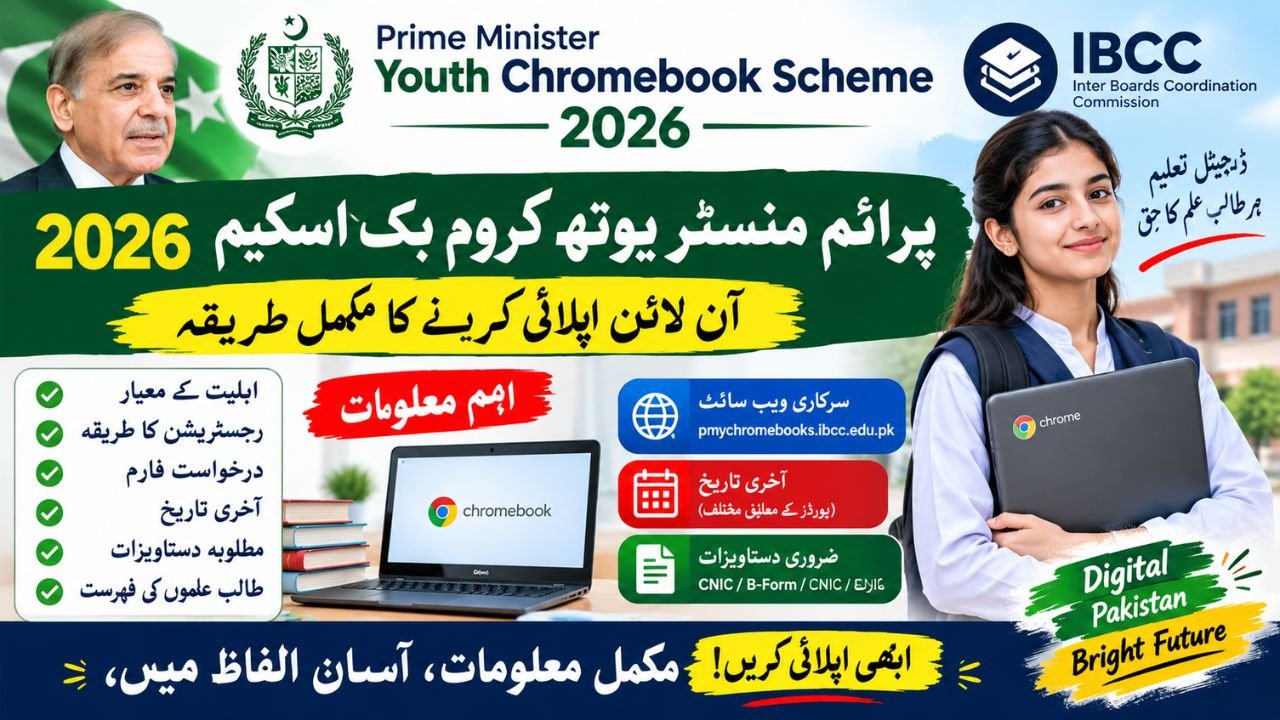
The Prime Minister Youth Chromebook Scheme 2026 is an educational initiative designed to improve students’ access to digital learning in Pakistan. The official application portal is managed through the Inter Boards Coordination Commission (IBCC), where eligible students can check their academic records, enter their details and submit an application for consideration.
According to the official portal, the current selection process is based on students’ performance in the 2026 annual examinations and their enrolment in government or public schools. The eligibility rules differ slightly by educational board, so students should check the instructions that apply to their region before completing the form. Official IBCC portal
Students and parents searching for Prime Minister Youth Chromebook Scheme 2026 online apply, registration dates, eligibility criteria, the official website or the student list should first verify whether the student’s record appears on the relevant board list. Finding a record does not automatically guarantee that a Chromebook will be awarded; the application and allocation process must still be completed according to official instructions.
Also Read ; CM Punjab Laptop Scheme 2026
Prime Minister Youth Chromebook Scheme 2026 – Latest Update
The scheme forms part of the government’s broader effort to expand digital education and help students use modern technology for learning. On December 12, 2025, the Press Information Department reported an announcement concerning the provision of 700,000 Chromebooks for students across the country, with distribution planned in phases. The announcement identified the TT Care Foundation as the provider of these devices. Official government announcement
The 2026 application process has more specific requirements than a general announcement about distributing devices. Students must check their academic records and follow the procedure available on the IBCC portal. They should not assume that every school student is eligible or that registration alone confirms selection.
Prime Minister Youth Chromebook Scheme 2025 vs 2026
The following table explains the difference between the earlier announcement and the current application process.
| Detail | 2025 announcement | 2026 application process |
|---|---|---|
| Main purpose | Expand access to digital learning | Consider eligible students for Chromebook allocation |
| Reported scale | 700,000 Chromebooks announced | Allocation depends on the official programme process |
| Selection information | Nationwide programme and phased distribution were announced | Board records and examination performance are used |
| Educational coverage | Programme expansion across Pakistan was announced | Specific grade requirements apply by board |
| Application method | Programme announcement and implementation planning | Online record verification and document submission |
| Final selection | Distribution planned in phases | Subject to eligibility, application review and official allocation |

Important: The 700,000 figure relates to the announcement reported in December 2025. It should not be interpreted as confirmation that 700,000 students will each receive a device in the 2026 application round. Students should rely on the latest official notices for allocation details.
Prime Minister Youth Chromebook Scheme 2026 Eligibility Criteria
The PM Youth Chromebook Scheme 2026 eligibility criteria are based on public-school enrolment, examination results and the rules applicable to the student’s educational board. According to the official IBCC website, the requirements are not identical for every region.
Who can apply for the Chromebook Scheme?
The official portal identifies the following groups for consideration:
- Punjab, Sindh, Khyber Pakhtunkhwa and Balochistan: Top-performing Grade 9 students (SSC-I) from government or public schools, based on the 2026 annual examinations.
- Azad Jammu and Kashmir, Islamabad Capital Territory and Gilgit-Baltistan: Top-performing Grade 9 (SSC-I) and Grade 10 (SSC-II) students from government or public schools, based on the 2026 annual examinations.
- School requirement: Students must be enrolled in government or public schools.
- Academic record: The student’s details must match the information supplied by the relevant educational board.
These are the criteria published on the official portal. A private-school student should not assume eligibility under this application process unless the authorities publish a revised policy.
Eligibility criteria at a glance
| Requirement | Officially published information |
|---|---|
| Eligible institution | Government/public school |
| Main examination year | Annual examinations 2026 |
| Punjab, Sindh, KP and Balochistan | Grade 9 students |
| AJK, ICT and Gilgit-Baltistan | Grade 9 and Grade 10 students |
| Academic performance | Top-performing students |
| Verification | Student record supplied by the relevant board |
| Chromebook allocation | Subject to the official selection process |
Note: The portal does not provide a single universal percentage or marks threshold for every board in its general eligibility summary. Some boards may publish additional instructions or qualifying marks. Students should check their own board’s notification instead of relying on an unverified percentage circulating on social media.
Prime Minister Youth Chromebook Scheme 2026 Online Apply
Students who meet the published eligibility requirements can begin the process through the official registration portal. Before starting, keep the relevant academic and identity documents ready so that you can complete the application accurately.
Official application website: pmychromebooks.ibcc.edu.pk
Step-by-step registration process
Step 1: Open the official portal
Visit the IBCC Chromebook Scheme website. Check that the address is correct before entering personal information, and avoid unofficial websites asking for payment to submit an application.
Step 2: Select your educational board
Choose the board under which you appeared in your Grade 9 or Grade 10 annual examination. Make sure the selected board matches your academic record.
Step 3: Enter your identification or examination number
The portal allows students to search for their records using a CNIC or B-Form number, roll number or registration number, as applicable to the board record. Enter the numbers without dashes and provide your date of birth as requested.
Step 4: Find and verify your record
Select the option to find your record. The system checks the details against the list provided by your educational board. Review your name, school and marks carefully before proceeding.
Step 5: Upload the required documents
Upload a recent photograph, the relevant examination mark sheet, an attested B-Form or CNIC copy, and an attested CNIC copy of your father or guardian, following the portal’s instructions.
Step 6: Review the application
Check every field and uploaded document before submitting the form. The official portal warns that students cannot change the form themselves after submission, so correcting mistakes beforehand is important.
Step 7: Submit and save the confirmation slip
After successful submission, save the reference number and download the application slip. Keep these details for future correspondence or application-status checks.
Completing these steps means that an application has been submitted; it does not guarantee that the student has been selected for a Chromebook.
Prime Minister Youth Chromebook Scheme 2026 Registration Last Date
The Prime Minister Chromebook Scheme 2026 registration last date should be checked against the latest notification from the student’s educational board and the central IBCC portal.
For example, BISE Multan published a notice instructing eligible Grade 9 students to complete registration by October 18, 2026. That date has passed as of October 21, 2026. Other boards may publish separate notices, so students should not assume that the same deadline applies everywhere or that the deadline has been extended.
If you have not registered, visit the official portal immediately to see whether applications are still being accepted. You can also contact your educational board to ask about late submission, corrections or any revised deadline. Do not rely on an extension unless an official notice confirms it.
| Deadline detail | Status |
|---|---|
| BISE Multan notice | October 18, 2026 |
| Current date | October 21, 2026 |
| Is the cited date still in the future? | No |
| Is a nationwide extension confirmed here? | No |
| What should students do? | Check the central portal and their own board’s latest notice |
Prime Minister Youth Chromebook Scheme 2026 Official Website
The official website for the current Chromebook application process is the IBCC portal:
The portal provides the student-record search, application instructions and document requirements. It is the preferred place to begin because the scheme’s eligibility and application process are published there.
Students should distinguish this programme from the separate Prime Minister’s Youth Laptop Scheme. The laptop programme has its own portal, eligibility conditions and application process. An application submitted to a laptop scheme does not automatically count as an application for the Chromebook scheme.
PM Chromebook Scheme 2026 Student List – How to Check
Students searching for the PM Chromebook Scheme 2026 student list should first check the eligible-student notices published by their educational board. Some boards publish lists or notices identifying the students who may proceed with registration.
Follow these steps:
- Open your educational board’s official website.
- Look under notifications, news, press releases or student announcements.
- Find the notice for the Prime Minister Youth Chromebook Scheme 2026.
- Open the relevant list or instructions and check your academic details.
- If your record is listed, visit the central IBCC portal and follow the application process.
- Save your submitted application slip and reference number.
The appearance of a name on an eligible-student list should not be confused with final Chromebook allocation. Students should wait for an official selection or distribution notice before assuming that a device has been awarded.
Prime Minister Youth Chromebook Scheme 2026 Application Form
The application form is available through the official IBCC portal. Students should start by finding their record rather than looking for an unrelated downloadable form on a third-party website.
The portal checks the information against the relevant board’s records. Once the student record is found, the applicant can proceed according to the displayed instructions and upload the required documents.
Before submission, make sure that the name, date of birth, board, school and examination details are correct. The portal advises applicants to review the form carefully because they cannot change the submitted application themselves.
If your record is missing or contains an error, contact the relevant educational board for guidance. Do not create a second application using different details, as the official system allows only one application per student.
PM Youth Chromebook Scheme 2026 Required Documents
Preparing the required documents in advance can make the application process easier. The official portal lists the following items and file requirements.
| Document | Official portal instructions |
|---|---|
| Recent colour photograph | Front-facing, plain background; JPG or PNG |
| Grade 9 or Grade 10 mark sheet | SSC-I or SSC-II mark sheet, as applicable; JPG, PNG or PDF |
| Student B-Form or CNIC | Attested copy; JPG, PNG or PDF |
| Father’s or guardian’s CNIC | Attested copy; JPG, PNG or PDF |
| Maximum file size | Up to 300 KB per listed file |
Ensure that each document is clear and readable. Check the upload requirements shown on the portal before submitting because an unclear image or incorrect document may delay the application review.
Students should not upload personal documents to unknown websites, social media pages or agents claiming that they can guarantee selection.
PM Youth Chromebook Scheme 2026 CNIC Check
The official portal provides a record-search facility using the permitted identification or examination details. Depending on the available board record, students can use their CNIC or B-Form number, roll number or registration number, together with their date of birth.
Enter the details exactly as they appear in the educational board’s record. If the portal does not find your record, try another permitted identifier, such as your roll number or registration number.
If the record still does not appear, contact your board to verify your information and eligibility. A failed search does not, by itself, establish that a student has been permanently disqualified.
What if the CNIC or B-Form record is not found?
First, check for typing errors and confirm that you selected the correct board. Next, try another identifier accepted by the portal. If the problem continues, ask the board to check the record supplied for the scheme.
Do not share your full CNIC, B-Form number, date of birth or document images publicly. Enter them only on the verified official portal when required.
Chromebook Scheme 2026 B-Form Registration
A B-Form is relevant for students who do not use a CNIC as their identification document. The official Chromebook portal allows the relevant student identification details to be used for record verification.
Students should prepare an attested copy of their B-Form and the attested CNIC copy of their father or guardian, as specified on the portal. They should also keep their examination mark sheet and recent photograph ready.
The B-Form must match the student’s official records. If the name or date of birth differs between documents, contact the relevant authority or educational board before submitting the application.
A B-Form alone does not establish eligibility. The student must also satisfy the scheme’s school, examination and board-specific requirements.
What if the Student Record Is Missing or the Application Fails?
Technical problems and mismatched records can occur when a student enters the wrong board, uses an incorrect number or has information that differs from the board’s database. Follow these checks before assuming that the application has been rejected.
- Confirm that you selected the correct educational board.
- Enter your roll number or registration number exactly as shown on your examination documents.
- Check your date of birth and identification details.
- Make sure that uploaded files are readable and within the stated size limit.
- Contact your board if the record is missing or the marks or name are incorrect.
- Save your application reference number if you have already submitted the form.
If the registration deadline has passed, ask your board whether any late submission or correction facility is available. Do not assume that a technical issue automatically qualifies you for an extension.
Important Note for Students and Parents
The Prime Minister Youth Chromebook Scheme is intended to support education, but students should rely on official information rather than social media claims. Registration does not guarantee allocation, and the programme’s announced overall scale should not be interpreted as an individual student’s entitlement.
Never pay an unofficial agent who promises a Chromebook, guaranteed selection or faster approval. The official portal lists the application procedure and required documents, and students should follow those instructions directly.
The information in this guide reflects the official portal and published notices available for the 2026 process. Deadlines, board-specific eligibility instructions and allocation arrangements can change, so verify them before taking action. No separate 2027 application date or eligibility policy is confirmed by the sources cited here.
Frequently Asked Questions
1. How can I apply for the Prime Minister Youth Chromebook Scheme 2026 online?
Visit the official IBCC Chromebook portal, select your educational board, search for your record, upload the required documents and submit the application if the portal permits you to proceed.
2. Who is eligible for the PM Youth Chromebook Scheme 2026?
The official portal identifies top-performing students from government or public schools based on the 2026 annual examinations. Grade requirements depend on the educational board and region.
3. What is the last date for Chromebook Scheme 2026 registration?
BISE Multan published October 18, 2026, as its registration deadline. That date has passed as of October 21, 2026. Check your own board’s latest notice for any applicable update.
4. Can I check my eligibility using my CNIC or B-Form?
Yes. The official portal supports record searches using a CNIC or B-Form number, roll number or registration number, as applicable, along with the requested date of birth.
5. Which documents are required for the application?
The portal lists a recent colour photograph, the relevant SSC-I or SSC-II mark sheet, an attested student B-Form or CNIC copy, and an attested CNIC copy of the father or guardian.
6. Can private-school students apply?
The published eligibility criteria specify government or public-school students. Private-school students should not assume they qualify unless an official revised policy states otherwise.
7. Does finding my name on the list guarantee a Chromebook?
No. Finding a record or appearing on an eligible-student list is not the same as final allocation. Follow the portal’s instructions and wait for official confirmation.
8. Is the Prime Minister Youth Chromebook Scheme 2027 open?
The sources used for this article do not confirm a separate 2027 application round. Check the official IBCC portal for future announcements rather than relying on unverified dates.