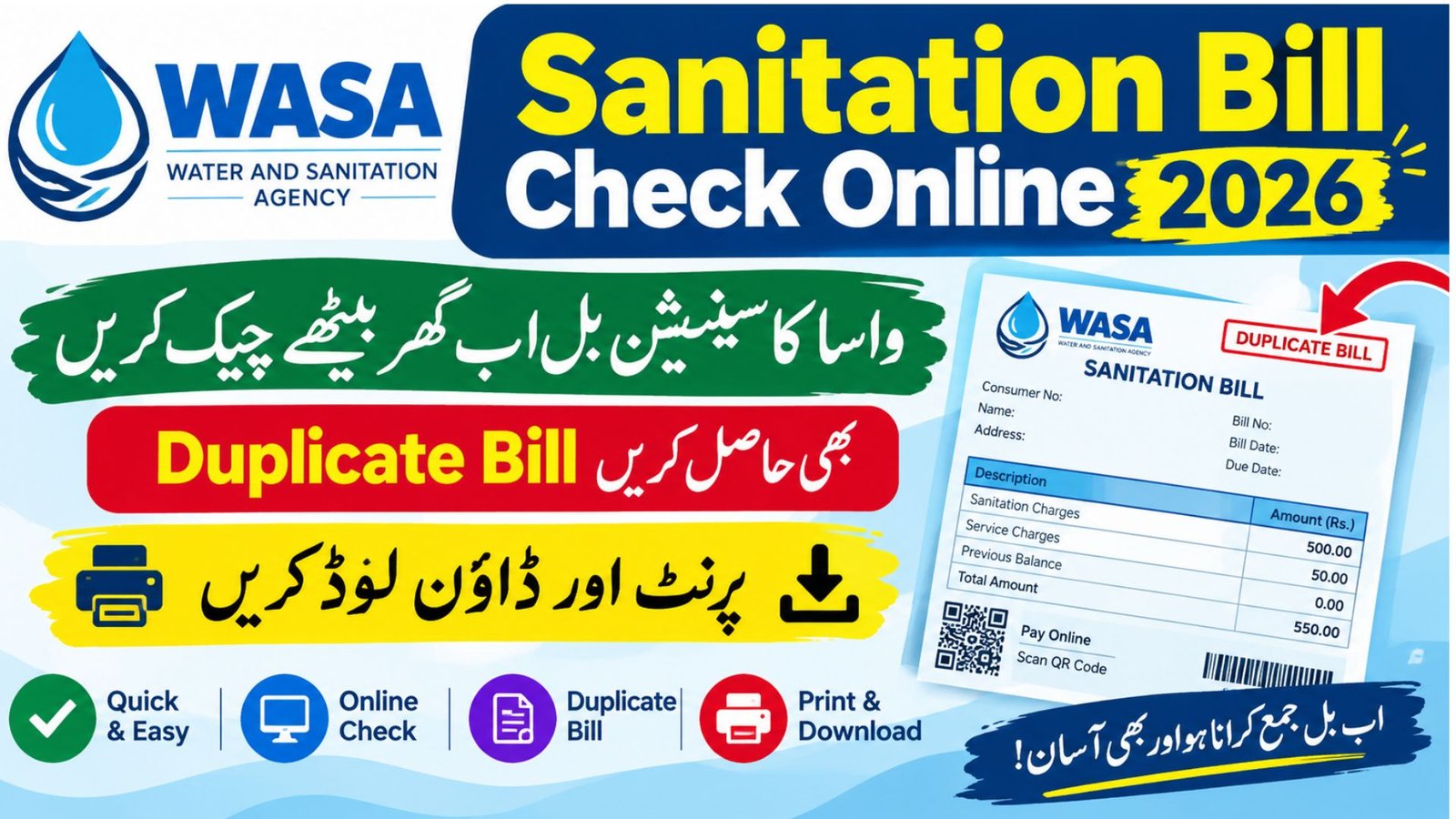
Sanitation Bill Check Online 2026 – WASA Duplicate Bill, Download & Print PDF
Sanitation Bill Check Online 2026
Checking your water and sanitation bill online can save you time, especially when your paper bill has not arrived or you need another copy before the due date. In Pakistan, different Water and Sanitation Agencies (WASAs) operate their own billing systems, so the correct website depends on your city and the type of connection you have.
For 2026, consumers in Rawalpindi, Gujranwala and Faisalabad can use their respective online portals to search for a bill using the required consumer, account or registration number. You do not need to assume that one website works for every city. Always select the official portal for your area and check the information displayed before making a payment.
This guide explains how to perform a sanitation bill check online, access a WASA duplicate bill, print a water and sewerage bill, and understand which number you need to enter. It also explains the difference between older paper-based billing practices and the online facilities currently listed on the relevant official websites.
More Read: CM Punjab Rehmat Card 2026
WASA Bill Check Online 2026: Quick Facts and Figures
The following table summarises the key details you need before starting your online bill check.
| Information | Details |
|---|---|
| Service name | WASA water and sanitation billing |
| Main purpose | View a bill and obtain a duplicate copy where supported |
| Cities covered in this guide | Rawalpindi, Gujranwala and Faisalabad |
| Rawalpindi bill number | 8-digit consumer code, according to the official website information |
| Gujranwala bill number | Account number or registration number |
| Faisalabad bill number | WASA account number |
| Online service fee | No separate online bill-checking fee is stated on the cited bill-search pages; payment charges may vary by payment channel |
| Bill printing | Use the print option or your browser’s print function when the bill page supports it |
| Latest information checked | October 11, 2026 |
| Official complaint contact for Rawalpindi | Helpline 1334 |
Important: The identification number, available features and bill format depend on the city. The table does not imply that every WASA portal offers identical services.
Official WASA Bill Check Online Portals for 2026
Before entering your details, confirm which city issued your water and sewerage bill. The following links lead to official government-hosted billing pages or official WASA websites.
WASA Rawalpindi Bill Check Online
Use the consumer code shown on your previous bill.
Open the official WASA Rawalpindi website
WASA Gujranwala Online Bill
Search using the account number or registration number in the appropriate field.
Open the official Gujranwala bill portal
WASA Faisalabad Duplicate Bill
Enter the WASA account number to search for your consumer bill.
Open the official Faisalabad duplicate-bill page
These pages identify the bill-search facilities available on the respective websites. If a page is temporarily unavailable, visit the relevant agency’s main website and look for its Online Bill, Print Bill or Duplicate Bill option.
How to Check a Sanitation Bill Online
A sanitation bill check online usually starts with a number printed on an earlier bill. Depending on the agency, that number may be called a consumer code, account number or registration number. Follow these steps to avoid searching the wrong record.
Step 1: Identify your WASA city
First, check the name and address of the agency printed on your previous water and sewerage bill. A Rawalpindi consumer should use the Rawalpindi portal, while a consumer in Gujranwala or Faisalabad should use the relevant city’s billing website.
This matters because there is no single bill-search format that can be assumed to work across all WASA offices. Each portal may request different information.
Step 2: Find your consumer or account number
Keep an old bill nearby and look for the identification number requested by the website. Do not automatically enter your electricity reference number, CNIC or mobile number when the portal asks for a WASA account number.
If you no longer have a paper copy, contact the relevant agency through its official contact information to ask how to retrieve your billing details.
Step 3: Enter the number in the correct field
Open the official portal and type your number carefully. If the page has separate fields for an account number and registration number, use the field that matches your bill.
Check the number for missing digits, extra spaces and incorrect separators before submitting the form. A small typing error can prevent the system from finding the correct consumer record.
Step 4: Review the bill details
If the search succeeds, review the information displayed on the bill. Depending on the available record, this may include the consumer details, billing period, current charges, previous balance, due date and amount payable.
Confirm that the record belongs to your connection before downloading or printing it. If the information does not match your property, contact WASA rather than paying an unfamiliar bill.
Step 5: Save or print the bill
If the portal provides a printable bill, use its print option or the browser’s print command. You can select Save as PDF in the print window if that option is available on your device.
Keep the PDF for your records, but remember that saving a copy does not mean the bill has been paid. You must complete payment separately through an accepted payment channel.
WASA Rawalpindi Bill Check Online 2026
Residents of Rawalpindi can use the official WASA Rawalpindi website to access the online bill facility. The agency’s website lists an online copy of the bill service that uses an 8-digit consumer code.
Official website: WASA Rawalpindi
More Read: Ehsaas Rashan Program CNIC Check Online 2026
How to Check and Print a Rawalpindi WASA Bill
- Open the official WASA Rawalpindi website.
- Find the Online Bill or Print Bill option.
- Locate the 8-digit consumer code on your previous WASA bill.
- Enter the code in the relevant field and submit it.
- If your bill appears, review the due date and amount payable.
- Use the available print option to save or print a copy.
The exact appearance of the website may change as the agency updates its online services. If the bill does not appear, check the consumer code and try again. For billing complaints, the official website lists helpline 1334 and the contact number 051-5555489.
WASA Rawalpindi Duplicate Bill and Download
A WASA Rawalpindi duplicate bill is useful when your original bill is lost, damaged or delayed. Use the official portal to look for the online copy rather than relying on a bill image shared on social media.
The terms WASA Rawalpindi bill check, WASA Rawalpindi bill print, WASA Rawalpindi bill download and WASA Rawalpindi print bill describe related tasks, but the actual options depend on the page and the bill record available. If the website does not generate a printable copy, contact the agency for assistance.
WASA Gujranwala Bill Check Online 2026
Consumers in Gujranwala can use the agency’s dedicated online billing portal. It provides a duplicate consumer bill search and asks users to enter either their account number or registration number in the corresponding field.
Official portal: WASA Gujranwala Online Bill
How to Check a Gujranwala Water Bill Online
Open the official portal and select the search field that matches the number on your previous bill. The website displays examples of the accepted formats:
| Number type | Format shown on the portal |
|---|---|
| Account number | Six digits, for example 000000 |
| Registration number | A formatted number such as 00/00-000000 |
Enter the number in its appropriate field and select the search button. If the system finds your record, review the bill before printing it. Make sure you have not entered a registration number into the account-number field or vice versa.
WASA Gujranwala Duplicate Bill, Print and Download
The Gujranwala website specifically describes its service as a duplicate consumer bill facility. This makes it the appropriate starting point when you need a WASA Gujranwala duplicate bill or want to check an outstanding water and sewerage charge.
Consumers searching for WASA Gujranwala bill check online, WASA Gujranwala online bill, WASA Gujranwala bill print or WASA Gujranwala bill download should use the same official portal and follow the options currently displayed there.
If your number is rejected, compare it with the format shown on the page and try again. If you cannot locate your WASA Gujranwala account number or registration number, use the agency’s official contact channels instead of guessing the details.
WASA Faisalabad Bill Check Online 2026
Faisalabad has a dedicated duplicate-bill page on its official WASA website. The page includes a consumer bill search and an input field for the WASA account number.
Official portal: WASA Faisalabad Duplicate Bill
Steps to Check a Faisalabad Water Bill
- Visit the official duplicate-bill page.
- Find the WASA account number on a previous bill.
- Enter the number in the account-number field.
- Select the Duplicate Bill option.
- Review the bill details if the record is available.
- Print or save the displayed copy if the page provides that option.
The portal may display a different layout as its online services are updated, so follow the instructions shown on the live page.
WASA Faisalabad Duplicate Bill Online
A WASA Faisalabad duplicate bill online search can help you retrieve a copy without depending on the original paper bill. The same official page is relevant when searching for a Faisalabad water bill online, a duplicate water bill, or a bill to print.
The agency’s website also lists water supply, sewerage and drainage services. However, you should not assume that every type of complaint or account correction can be completed through the duplicate-bill form. Contact WASA Faisalabad directly if your account number is not accepted, the bill is missing, or the displayed amount needs correction.
More Read:
Water Bill Check Online vs Sanitation Bill Check Online
People often use the phrases water bill check online, online sanitation bill and water bill online check to search for the same type of service. However, the charges on an actual bill depend on the agency, connection and applicable tariff.
A WASA bill may include water-related charges, sewerage charges, previous arrears, service charges or other applicable items. The exact items differ by consumer and billing period, so there is no single amount that can be quoted as the standard bill for every household.
The term water and sewerage bill is often more precise when the bill covers both services. A sanitation bill online search may also lead consumers to a portal that handles water supply and sewerage billing rather than solid-waste collection. Check the name of the issuing agency before proceeding.
How to Read Your Online WASA Bill
When the bill appears, pay attention to the following fields:
- Billing period: The month or period covered by the charges.
- Current amount: Charges for the current billing period.
- Previous balance or arrears: Any unpaid amount carried forward, if applicable.
- Due date: The stated deadline for payment.
- Late-payment charges: Any surcharge shown for payment after the due date.
- Total payable: The amount currently requested by the bill, according to the displayed payment conditions.
Do not calculate the payable amount from the current month’s charges alone if your bill includes previous arrears or a surcharge. Read the final amount printed on the bill and confirm any disputed charges with the relevant agency.
WASA Bill Printing and Download: What Consumers Should Know
The ability to view a bill and the ability to download it as a PDF are related but separate functions. Some portals display a printable consumer copy, while others may provide a different bill-viewing layout.
For a WASA bill online check, first retrieve the correct record. Then look for a print, download or duplicate-copy option. If no dedicated download button is available, the browser’s print feature may allow you to save the displayed page as a PDF, provided the bill is rendered correctly.
Before printing, make sure the account number, billing period and payable amount are readable. Avoid editing the figures or relying on a cropped screenshot as proof of the amount due.
What If the WASA Bill Portal Is Not Working?
An online bill service may occasionally fail to return a record because of a temporary website issue, an incorrect number or a problem with the available billing data. A failed search does not automatically mean that your connection has no bill.
Try the following steps:
- Check that you are using the correct city’s official portal.
- Re-enter the number exactly as printed on the previous bill.
- Use the correct account-number or registration-number field.
- Retry later if the official website is temporarily unavailable.
- Contact the agency if the problem continues or the due date is approaching.
Never enter your personal details into an unfamiliar website simply because it claims to provide an instant duplicate bill. The official portal should be your first choice.
More Read:
What Changed Between 2025 and 2026? Latest WASA Billing Information
The online bill-checking process is becoming more accessible, but it is important to distinguish confirmed administrative changes from features that have not been officially announced.
In March 2025, Dawn reported that the Punjab Water and Sanitation Authority framework brought changes to the administration of WASA agencies, including Rawalpindi, Lahore, Faisalabad, Gujranwala and Multan. The report stated that Rawalpindi WASA had moved from the administrative control of the Rawalpindi Development Authority to Punjab WASA.
For consumers, the practical point is that the agency’s administrative structure may change without changing the basic steps required to search for a bill. The official portals linked in this guide currently provide city-specific bill-search options.
| Period | Confirmed information | What consumers should know |
|---|---|---|
| Before the 2025 administrative changes | WASA agencies operated their respective water and sanitation services. | Use the agency identified on your bill. |
| March 2025 | Dawn reported administrative changes under the Punjab Water and Sanitation Authority framework. | Follow the relevant agency’s official announcements. |
| October 2026 | Official Rawalpindi, Gujranwala and Faisalabad websites list online bill-related facilities. | Use the portal and number format specified for your city. |
| 2027 | Future billing changes and new online features require official confirmation. | Check official notices instead of relying on predictions. |
Will WASA Introduce New Online Bill Features in 2027?
Consumers may see further changes to online billing, payment methods or customer services in the future. However, a proposed feature should not be described as an approved 2027 service unless the relevant authority publishes a reliable announcement.
For now, the safest method is to use the official website, retain your consumer identification number and check the information printed on the latest bill. If WASA announces a new portal or changes its account-number format, follow the instructions in that official notice.
Important Note for WASA Consumers
Always verify the bill before paying it. A duplicate bill is a copy of a billing record; it does not automatically extend the due date, remove arrears or confirm that a previous payment has been recorded.
Keep your latest receipt if you have already paid. If the online bill still shows an outstanding balance, contact the issuing agency and provide the payment details through its official complaint process.
Also remember that WASA water and sewerage bills are different from electricity and gas bills. Do not enter your IESCO, GEPCO or other utility reference number into a WASA account field unless the relevant official service specifically requests it.
Frequently Asked Questions
1. How can I check my sanitation bill online in 2026?
Visit the official WASA portal for your city, enter the required consumer or account number and submit the search. If the record is available, review the bill details and use the supported print or download option.
2. How can I check my WASA bill online without a login?
The official Gujranwala and Faisalabad bill-search pages provide direct search forms. Rawalpindi’s official website also lists an online bill facility. Follow the instructions on the relevant page; a separate account login should not be assumed necessary for every service.
3. How do I get a WASA duplicate bill?
Open the appropriate official portal and search using the number requested by that website. Gujranwala and Faisalabad have dedicated duplicate-bill pages, while Rawalpindi lists an online copy-of-bill facility.
4. What is the WASA Gujranwala account number format?
The official Gujranwala portal shows a six-digit account number format and a separate registration-number format. Enter your number in the matching field rather than switching between the two.
5. How can I check my WASA Faisalabad bill without the paper copy?
If you know your WASA account number, enter it on the official Faisalabad duplicate-bill page. If you do not know the number, contact the agency to retrieve the correct details.
6. Can I download and print my WASA water bill?
You can print or save a bill when the portal displays a suitable copy and supports the relevant option. The browser’s print function may also allow you to save the page as a PDF. Availability can depend on the portal’s layout.
7. Is a sanitation bill the same as a water and sewerage bill?
The terms are sometimes used interchangeably in searches, but the actual services depend on the issuing authority. Check the agency name and the charges shown on your bill to confirm what you are being billed for.
8. What should I do if my WASA bill does not appear online?
Check your account or consumer number, confirm that you selected the correct city and try again later if the portal is unavailable. If the problem continues, contact the relevant agency, particularly when the payment deadline is close.
Official WASA Bill Check Sources
The following source table provides direct links for checking your bill and verifying the administrative background. Official portals should be used for current account information; news reports are included only as secondary sources for background and policy changes.
| Source | Purpose | Direct link |
|---|---|---|
| WASA Rawalpindi | Official website and online bill information | Visit website |
| WASA Gujranwala | Online bill and duplicate consumer bill search | Open bill portal |
| WASA Faisalabad | Duplicate bill search and consumer account lookup | Open duplicate bill page |
| WASA Faisalabad official website | Agency services and contact information | Visit website |
| Dawn | Report on WASA Rawalpindi’s administrative changes in 2025 | Read report |
| Dawn | Background on WASA Lahore’s 2025–26 budget and administrative changes | Read report |
Final Words
A successful WASA bill check online starts with choosing the correct city portal and entering the right consumer identification number. Whether you need a sanitation bill check online, a duplicate water bill, a WASA account number lookup or a printable water and sewerage bill, use the official website for your area.
For Rawalpindi, Gujranwala and Faisalabad, the official links above provide the appropriate starting points. Check the bill’s due date, outstanding balance and payment instructions carefully, and consult the relevant agency if the online record is missing or incorrect. For any changes announced for 2027, rely on official notices rather than unverified claims.